Delta Executor Safety, Privacy and Account Risks
A balanced safety article: third-party APK risks, privacy, permissions, malware awareness, Roblox account consequences, and the safe habits that keep Delta Executor use low-risk.
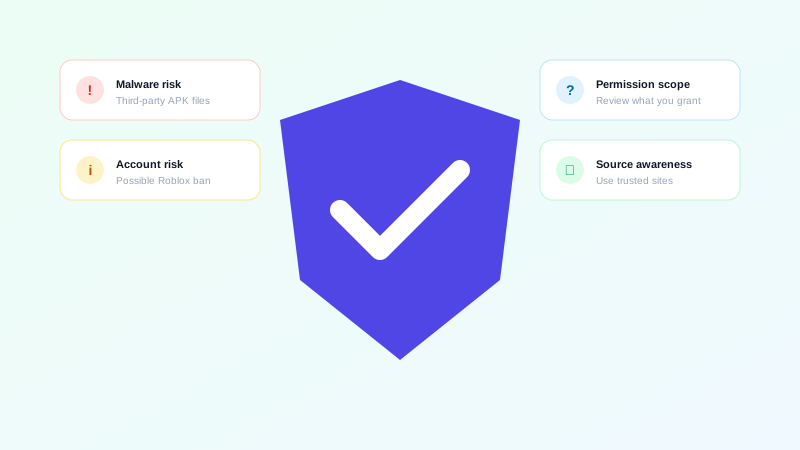
This is the article we wish more sites published. Most pages about Delta Executor either ignore safety entirely or make unsupported claims of being "100% safe" or "100% undetectable." Neither is honest. The truth is more useful: Delta Executor, like any third-party APK, carries real but manageable risks. This article explains what those risks are and how to keep them low.
What we will and won't claim
Before we get into specifics, here is what this article will and won't say:
We will say
- Delta Executor is third-party software, not endorsed by Roblox.
- Using it may violate Roblox's Terms of Service and can lead to account consequences.
- Any third-party APK carries some baseline risk around source, permissions, and privacy.
- Those risks are reducible through habits, not eliminable through declarations.
We won't say
- "100% virus free" — that's a claim that requires independent, reproducible testing.
- "100% undetectable" — Roblox actively updates its detection systems.
- "Guaranteed safe" — no third-party tool meets this bar.
- "Official Roblox product" or any variant of endorsement.
With that framing, let's look at the actual risks.
Risk 1: download source
The single biggest practical risk in any third-party APK isn't the APK itself — it's the modified or repackaged version uploaded by an attacker to look like the legitimate tool.
These repackaged builds can include:
- Ad libraries that aggressively push notifications
- Spyware that exfiltrates contacts, photos, or messages
- Cryptominers that use your phone's CPU and battery
- Trojan-style code that opens backdoors for further compromise
- Phishing flows that ask for Roblox credentials or payment details
The mitigation is the same as it ever was: download from a trusted source. The Download Delta Executor APK button on this site links to a verified URL. Random APK mirrors, file-hosting sites, and "modded" variants are not trusted sources, regardless of how professional they look.
Risk 2: permissions
Android apps request permissions to access parts of your phone. Most apps ask for the minimum they need. Some ask for more.
For an executor, the typical permissions are:
- Storage. To read and write scripts. Reasonable.
- Network. To fetch scripts from a hub or verify keys. Reasonable.
- Overlay. To display UI over other apps. Often necessary for executors.
- Accessibility services. Sometimes requested to interact with other apps. Less common, more invasive.
Permissions that should make you stop and reconsider:
- Access to your contacts, call log, or SMS
- Access to your camera or microphone (if not clearly justified)
- Device administrator privileges
- Accessibility services for "general" reasons that don't match the app's core function
Read every permission request. If something doesn't relate to running scripts, deny it.
Risk 3: privacy
Any app you install can, in principle, see what's on your phone. Even if the app itself is benign, its third-party libraries (ads, analytics, crash reporting) can leak information.
Privacy habits that help:
- Don't have other sensitive apps open while using Delta Executor.
- Avoid granting storage access to folders that contain personal files.
- Use a separate Google account for your phone if you want stronger isolation.
- Review the app's network activity if you have technical means to do so.
- Avoid logging into other services while the executor is running.
Risk 4: malware
Malware in third-party APKs is a real and recurring problem. The categories of risk are well-documented:
- Trojans that open remote access to your phone.
- Spyware that exfiltrates data.
- Ransomware that encrypts your files (rare on Android, but possible).
- Adware that floods you with notifications and pop-ups.
- Click fraud bots that drain battery and data.
The mitigations are familiar:
- Download from the publisher's official source.
- Keep Play Protect enabled.
- Verify checksums when the publisher provides them.
- Watch for unusual battery drain, data usage, or background activity.
- Uninstall immediately if the app behaves oddly after install.
Risk 5: Roblox account consequences
This is the most consequential risk for most users. Roblox's Terms of Service prohibit the use of third-party software that modifies the client, injects code, automates gameplay, or provides unfair advantages. Delta Executor falls into this category by design.
Roblox actively works to detect this kind of activity. The consequences for a detected account include:
- A warning or temporary restriction
- Loss of in-game currency, items, or progress tied to the account
- A permanent ban
- Loss of access to paid content on the account
The mitigation is simple: never use an account you can't afford to lose. Use a separate, low-value account for any executor experimentation. Treat the account as disposable from the start.
Safe habits
The habits that keep Delta Executor use low-risk:
- Download only from the publisher's verified link.
- Read every permission before granting it.
- Use a low-value Roblox account.
- Don't disable Android's per-app install protection.
- Don't pay for "premium" executor features.
- Don't enter passwords into anything claiming to be a key page.
- Keep the executor updated to the latest build.
- Uninstall the executor when you're not actively using it.
Red flags
Some signs indicate you're looking at a malicious site or build rather than a legitimate one:
- "100% safe," "100% undetectable," "guaranteed no ban" claims.
- Asks for your Roblox password, email password, or phone number.
- Requires you to install a "patcher" or "loader" first.
- Asks you to disable your antivirus.
- Demands payment for the APK or for a "premium key."
- Comes packaged with another installer or "bundle."
- File size dramatically smaller or larger than what the publisher lists.
If you encounter any of these, walk away.
Final note
Delta Executor's safety profile is the same as any other third-party APK: not safe in the abstract, manageable in practice. The risks are concentrated around source, permissions, and account consequences. None of them are dealbreakers if you apply the habits above — and most of them are the same habits that keep you safe on the open web in general.
For the install walkthrough that incorporates these habits, see the Android page. For the broader troubleshooting guide, the Fixes page covers most things that can go wrong.
One more habit worth mentioning
If you take one habit away from this article, make it this: review what you've installed every few months.
Most users accumulate apps over time. Some of those apps turn out to be unnecessary. Some turn out to be more invasive than they seemed at install. Some turn out to have been updated to behave differently. A quarterly review — open your app list, ask yourself whether you still need each app, and uninstall what you don't — is one of the simplest ways to keep your phone safer.
Delta Executor fits this pattern. If you use it actively, keep it. If you've stopped using it, uninstall it. The fewer third-party apps you have installed, the smaller your overall attack surface. The same logic applies to permissions: review them occasionally, and revoke any that no longer serve a purpose.
None of this is specific to executors. It's good digital hygiene in general. But it's especially relevant for tools like Delta Executor, where the safety profile depends on how you use them rather than on what they are.